Your shopping cart is empty!

MENU
First make sure data services and 3G is enabled under network settings
If you have an Iphone reset the network setting under settings, general- reset
For Android follow the instruction bellow to configure the Orange APN settings for data access
Go to Menu> Settings> Wireless & networks.
Now select “Mobile networks” and then “Access Point Names”.
Click “Menu” and then “New APN”.
Enter Name and APN (below).
Leave Username, Password and other entries blank.
Save and activate.
Click here to watch a video on how this is done
Click here for more information and screenshots
Your phone is not Unlocked !
First, check your balance, you can top-up on our website if you need more credit
Make sure you are dialing correctly
If you are trying to call international make sure your plan includes international calls, unlimited plans do not include international calls
Contact us with the error message you are getting
If you are traveling with a Verizon Samsung phone you may encounter an error “connection problem or invalid mmi code” when trying to dial numbers beginning with star*, we have found a few solutions to work around this problem, please see below
1. Try dialing without the star
2 Try Adding the plus+ sign after the star
3. Try adding a comma (,) at the end of every call by holding down the star key
4. Check that call forwarding is off, go to settings> my device> call>additional settings> 1. turn off call forwarding 2. turn off fixed dialing FDN 3.use internet calling set to ask for every call or only for internet calls
5. Disable Google Voice or uninstall
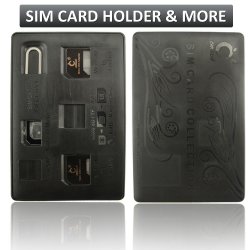
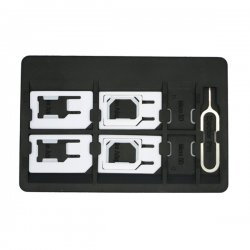
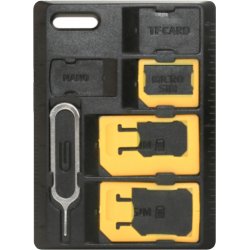
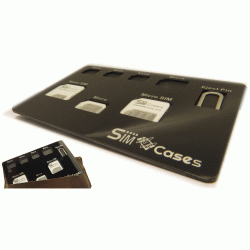
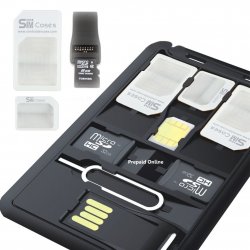
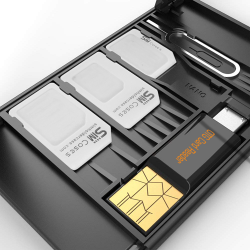
If the sim card you have is to small you can buy a sim card adapter like this one, If you need to trim your SIM card to a micro-SIM size, here are your options:
1. Head to Amazon.com and search for a nano-SIM cutter, like this one. It works like a hole puncher. When it arrives, you'll simply place your SIM card in the tray and punch out a smaller size. As a bonus, you'll also receive two adapters, which will allow you to put the micro-SIM card back into a regular-size SIM slot later on.
2. Do it yourself. If you need to trim your standard or micro-SIM card immediately, print out this free template and follow the instructions on the page. It's crucial that you take your time with this project, because if you make a mistake, you'll have to purchase a new SIM card. For the best results, use a sharp pair of scissors and always cut less first and trim (or file) later, if need be.
To watch a video on how this is done click here
3. Find out if any phone store in your neighborhood can cut it for you. some phone shops are able to trim it with a SIM cutter they have on hand. do not try asking your carrier's store they do not hold sim cutters.
Please note that there are always risks involved with home modifications and don’t cut up your SIM card unless you’re happy for it not to work (in this case you’ll need to get a replacement from the provider, or order a new SIM card). Proceed at your own risk.
To cut the sim card you need the following equipment